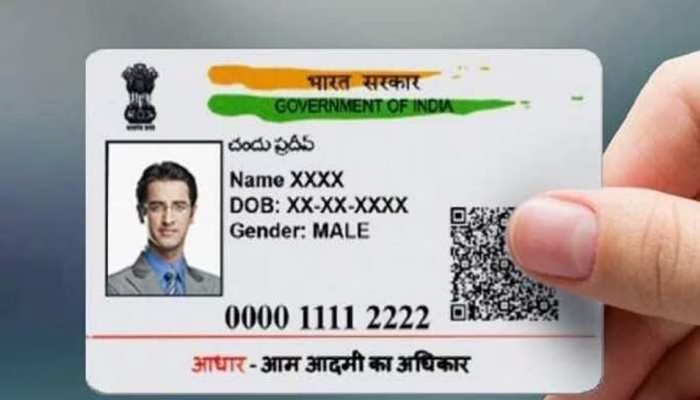
UIDAI has made the Aadhaar update process completely digital. Now it’s possible to change your address or mobile number in Aadhaar from the comfort of your home. Learn how the new system will work and which documents are required.
Add informalnewz.com as a Preferred Source


How to Update Mobile Number and Address in Aadhaar
In India, the Aadhaar card is the basis of every citizen’s identity. Sometimes, even a small error in Aadhaar can take days to complete. But now, all those difficulties are about to end. UIDAI has announced that it will soon introduce a new mobile-based update feature that will allow you to update your address and mobile number from your smartphone, without having to visit a center or stand in long queues.
The new Aadhaar app will offer users these benefits.
This change is a welcome relief for millions of citizens who frequently change their addresses or contact numbers due to job, rent, education, or other reasons. Now, simply open the Aadhaar app, enter the required information, enter the OTP or face verification, and your Aadhaar will be updated. This feature will not only save users time and effort, but will also make it easier to keep updated on government services, banking, and SIM connections.
A new way to update your address and phone number using the Aadhaar App
The new Aadhaar App released by UIDAI now allows users to update their address and phone number from the comfort of their homes. Previously, this feature was only available through the website or Aadhaar Center, but now it can be easily done through the mobile app. The new process is completely digital and is completed through OTP and face authentication, eliminating the need to carry paper, forms, or photocopies. The app can be downloaded by scanning the QR code in the app. UIDAI has also sought feedback from initial users.
Why did this feature come about, and what is its purpose?
Millions of people in India change jobs or rented homes every year. Therefore, updating their Aadhaar address used to be a headache for them. The new digital feature aims to provide easy access to government services, reduce hassles and center visits, and make Aadhaar updates faster, safer, and cheaper. This is a major step towards a paperless India. UIDAI will soon introduce more updates that will allow all Aadhaar-related services to be performed through a mobile app.
How to update your address in the Aadhaar App?
Step 1: Download the Aadhaar App. Install the Aadhaar App from the Play Store or App Store. It can also be downloaded by scanning the QR code. Enter your Aadhaar number and complete the OTP verification.
Step 2: Select the ‘Update Address’ and ‘Mobile Phone Number’ sections.
A new option to update your address and phone number will appear on the home screen. Users have two options: upload an address document, verify through Head of Family, or verify through someone else’s Aadhaar.
Step 3: Submit Aadhaar will verify your identity through face authentication. The updated status will be displayed within a few hours/days after submission.
Benefits of updating your address and phone number in the Aadhaar App
1. No more queues, no more form filling, no more agent needed.
2. No more worrying about storing photocopies, forms, or receipts.
3. What used to take 3-4 hours, will now be completed in minutes.
4. Your identity will only be accepted through UIDAI face authentication.
5. Useful everywhere: Help with PAN, bank, SIM, and PF updates.
Read More: How to protect yourself from fraud in the name of e-challan
🙏 Support Independent Journalism
We keep news free for you.
Most readers support with ₹500 ❤️
or scan QR below

Voluntary contribution. No tax benefits.
Add informalnewz.com as a Preferred Source
DISCLAIMER
We have taken all measures to ensure that the information provided in this article and on our social media platform is credible, verified and sourced from other Big media Houses. For any feedback or complaint, reach out to us at informalnewz@gmail.com