

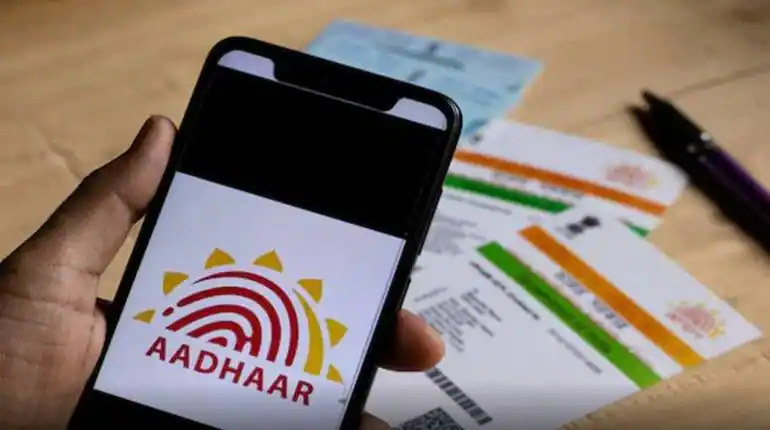
UIDAI has launched a new Aadhaar app, allowing people to digitally store their Aadhaar cards on their mobile phones. This app eliminates the need to carry a physical card for identification. It also uses technologies like facial recognition and QR codes to secure information.
Add informalnewz.com as a Preferred Source


Aadhaar card is one of the most important documents for every Indian. It is used for many important purposes, such as birth date, address, and opening a bank account. People often carry their Aadhaar card with them, leading to the fear of losing it. The Unique Identification Authority of India (UIDAI) has launched a new Aadhaar app. This app allows people to digitally store their Aadhaar card on their smartphones. It makes its use easier and more reliable than ever before. After this, there will be no need to carry a physical card for identification.
The new app keeps your information safe with technologies like facial recognition, biometric lock, and QR code. Uniquely, the Aadhaar profiles of five family members linked to the same mobile number can be easily managed on a single phone. Let’s learn more about it.
How to set up this app
In a few simple steps, you can set up your digital Aadhaar in just a few minutes.
1: First, go to the Google Play Store (Android) or Apple App Store (iOS) and search for the official app called “Aadhaar” and download and install it on your smartphone.
2: After opening the app, select your preferred language and then enter your 12-digit Aadhaar number.
3: Complete the verification by entering the OTP sent to your Aadhaar-linked mobile number.
4: Complete face scan authentication to confirm your identity and prevent misuse.
5: Set a six-digit security PIN to keep your profile secure. Your information remains secure at all times.
Once setup is complete, you can open your digital Aadhaar at any time and decide which information to display during verification, whether to show only your name and photo or share full details, including address and date of birth.
Learn about its features
Multi-profile management: You can now add Aadhaar cards of up to five family members linked to a single mobile number to a single app, making it easier to manage identity information for the entire household in one place.
Biometric security lock: Turn on biometric authentication to protect your Aadhaar data. This will prevent anyone from accessing or sharing your information until you unlock it.
Selective data sharing and QR code verification: To maintain your privacy, decide which information to share. You can show only your name and photo when not needed, while hiding your address or date of birth. Generate and scan QR codes for instant and paperless identity verification at banks, government offices, or service centers.
Offline mode access: Once you’ve set up the app, you can view your saved Aadhaar information even without an internet connection. However, you’ll need to be online to fully utilize all features.
Usage History Monitoring: The app’s built-in activity log also lets you know when, where and how your Aadhaar was used, ensuring your security at all times.

