

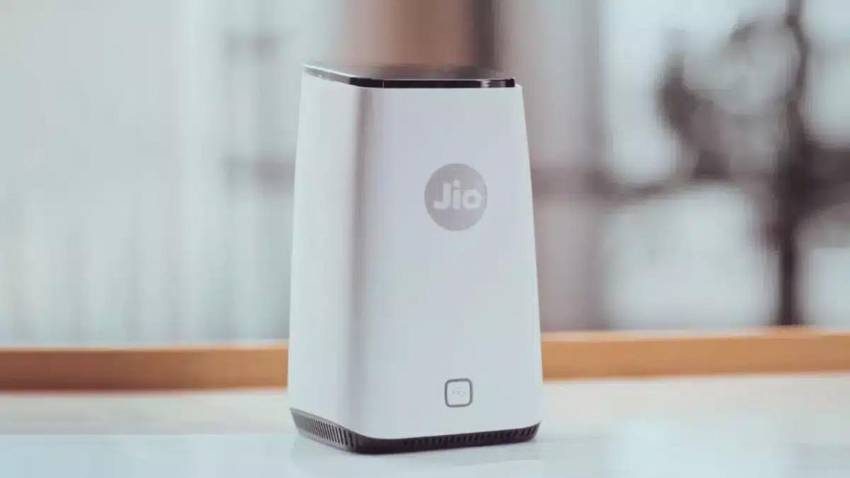
The biggest problem while changing a rented house is shifting the Wi-Fi connection, especially after recharging for a year. If you are using JioFiber or Jio AirFiber, then you can easily relocate the connection to a new address in a few clicks from home through JioHome without going to customer care or service center.
Add informalnewz.com as a Preferred Source


As easy as it seems to live in a rented house, changing the house is equally troublesome. Packing the goods, shifting to the new house, all this is taken care of, but the biggest problem arises when it comes to Wi-Fi connection. Especially when you have recharged the internet for the whole year. In such a situation, most people want that their old connection should be shifted to the new house and they do not have to get a new connection. The good thing is that if you are using JioFiber or Jio AirFiber, then for this there is no need to call customer care or visit the service center. Both these services coming under JioHome can now be easily relocated from home in just a few clicks, so that your internet connection will reach your new house without any interruption. Now let us know how to shift the connection while sitting at home?
Can JioFiber or Joio AirFiber be shifted?
Yes, if you use JioFiber or Jio AirFiber service and recharge on a monthly plan, then there is no need to shift the existing connection when changing house or location. If you want, you can easily get a new connection at the new address by discontinuing the old service. But if you have taken a year-long plan, then you can shift the existing connection to the new location without any worry. The special thing is that Jio AirFiber service is now available in many parts of the country so that more and more users can take advantage of this facility.
No need to call anywhere
Let us tell you that it is very easy to relocate JioFiber or Jio Airfiber. For this, you neither need to talk to customer care, nor call anywhere nor send any message. You just have to go to Jio’s official website or through the Jio app and put a request to shift your connection.
Follow these steps for the website
First of all, you have to go to Jio’s official website and click on the Home option given at the top of the home page. After this, scroll down and click on Relocate AirFiber, which will take you to a new page. Here you will see three steps to relocate the connection. First of all click on Raise JioFiber Relocation Request, then log in with your JioFiber number and proceed by entering the OTP. Now enter your new address and check whether JioFiber is available at that location or not. If available, book an appointment by choosing a time slot as per your convenience. After this, confirm the request by filling all the details asked. In this way your relocating request will reach Jio.
Follow these steps for Jio app
Like the website, you have to go to the Jio app and log in with MyJio Account. First of all open the MyJio app. Now on the home page, you will find the option of Fiber at the top. Click on it. Now click on the three lines coming on the left side. Then click on the option of profile and settings. Now you have to click on the Relocate my Jiofiber connection option. After this enter your new location. Now enter the new address and other details and click on the Proceed button coming below. Then go ahead and book the slot. In this way you can book an appointment for relocating through the app.
Note: For your information, let us tell you that a video has also been given for this on the official website of Jio. You can see the step by step process for relocating in it, and accordingly you can relocate your Wi-Fi.

