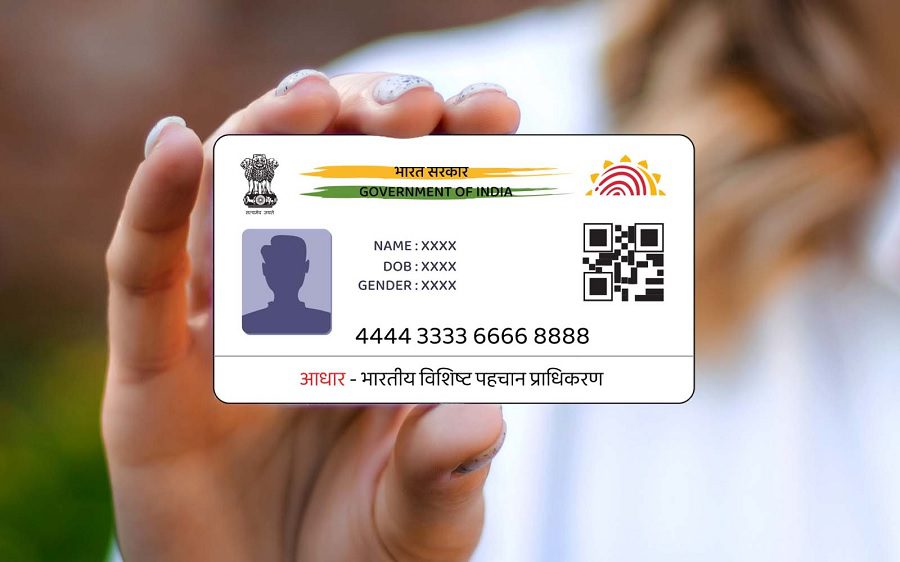
e-Aadhaar is a password-protected digital PDF copy of the Aadhaar card issued by the UIDAI. It is fully legally valid and serves as proof of identity and address. It can be downloaded from the UIDAI website or the mAadhaar app using an OTP.
Add informalnewz.com as a Preferred Source




e-Aadhaar: In today’s digital age, it’s no longer necessary to carry physical documents everywhere. The Unique Identification Authority of India (UIDAI) has made Aadhaar even easier by introducing e-Aadhaar. e-Aadhaar is a password-protected digital copy of the Aadhaar card, digitally signed by the UIDAI.
It is fully legally valid and accepted as proof of identity and address. Whether opening a bank account, booking travel, or completing government work, e-Aadhaar eliminates the hassle of carrying a physical Aadhaar card. Let’s learn what e-Aadhaar is and how to download it.
What is e-Aadhaar?
e-Aadhaar is a password-protected PDF file of your Aadhaar card. It is digitally signed by the UIDAI and has the same validity as a physical Aadhaar card. It contains the Aadhaar number, personal information, a photo, and a QR code for instant verification.
How to download e-Aadhaar?
Option 1: From the UIDAI website
Go to the official UIDAI website.
Click on the Download Aadhaar option.
Enter your Aadhaar number/Enrolment ID (EID)/Virtual ID (VID).
Enter the captcha code.
Click on Send OTP (the OTP will be sent to your registered mobile number).
Download the e-Aadhaar PDF by entering the OTP.
Option 2: From the mAadhaar app
Download the mAadhaar app from the Google Play Store or Apple App Store.
Log in with your Aadhaar details.
Select the Download Aadhaar option.
Verify with the OTP.
Save the e-Aadhaar PDF file.
How to open e-Aadhaar PDF?
The e-Aadhaar file is password-protected.
Password format: First four letters of your name (in CAPITAL) + year of birth
Example:
Name: Heena Sharma
Year of birth: 1990
Password would be: HEEN1990
This way you can easily download and use e-Aadhaar.
Add informalnewz.com as a Preferred Source
DISCLAIMER
We have taken all measures to ensure that the information provided in this article and on our social media platform is credible, verified and sourced from other Big media Houses. For any feedback or complaint, reach out to us at informalnewz@gmail.com