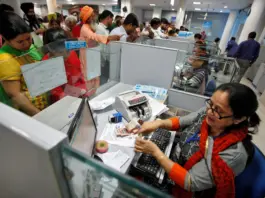
Linking Aadhaar and bank accounts with NPCI ensures seamless transactions for customers. This process makes digital transactions easier and more secure. To complete the linking, you need to submit a form at your bank.
Add informalnewz.com as a Preferred Source


Many people want to know whether their bank account and Aadhaar card are linked to the National Payments Corporation of India (NPCI). However, often people don’t have much information about this.
This article is intended for those who are not familiar with this process and want to link their Aadhaar card and bank account with the National Payments Corporation of India (NPCI).
What is NPCI Aadhaar linking to a bank account?
When a customer links their bank account with their Aadhaar number, the bank verifies the customer’s documents and then updates this information in the NPCI database. Linking your Aadhaar to NPCI is essential to ensure that you receive government benefits directly into your bank account.
This rule was recently made mandatory by the Reserve Bank of India (RBI). The purpose of linking Aadhaar with NPCI is to make digital transactions easier, safer, and faster. After this, you can easily verify several financial transactions using your Aadhaar number.
How to link your Aadhaar and bank account with NPCI?
Step 1: Visit the official NPCI website.
Step 2: Click on ‘What We Do’. Then select ‘NACH’ and click on ‘FAQs’.
Step 3: Click on ‘FAQs on APBS for Customers’.
Step 4: Go to the question ‘Aadhaar Seeding Process?’ and click on ‘Click Here to View’ below it.
Step 5: A new page will open, from where you can download the Aadhaar seeding form.
Step 6: Read the form carefully and fill it out.
Step 7: Submit this form to your bank branch manager so that your Aadhaar can be linked to your bank account in the NPCI system.
After the entire process is completed, you will receive an SMS within 2-3 working days informing you whether your Aadhaar-bank account linking was successful.
What information is required on the NPCI Aadhaar-linked bank account form?
- Bank branch name
- Bank account number
- Account holder’s name
- Aadhaar number
- Mobile number
- Email ID
- After filling out the form, it must be submitted to the bank.
How to check your NPCI Aadhaar linking status?
Online method (via UIDAI website):
- Visit the official UIDAI website.
- Select ‘Aadhaar Services’ from the ‘My Aadhaar’ menu.
- Click on ‘Bank Seeding Status’.
- Enter your Aadhaar number and captcha, then click ‘Send OTP’.
- Verify your identity by entering the OTP.
- Now, click on the ‘Bank Seeding Status’ tab.
- Your linking status will be displayed on the screen.
Check status via SMS/USSD:
- Dial 9999*1# from your registered mobile number.
- Enter your Aadhaar number.
- Re-enter your Aadhaar number.
- The status will be displayed on the screen.
Why is linking Aadhaar to NPCI necessary?
- To receive government benefits directly into your bank account.
- It makes tracking Direct Benefit Transfers (DBT) easier.
- It reduces the possibility of fraud.
- After submitting the form to your bank, the bank will link your Aadhaar to the NPCI system.
How to enable DBT online through NPCI?
If you are a beneficiary of a government scheme, you don’t need separate registration. You just need your Aadhaar number.
Link your Aadhaar with your bank account (through the online portal, mobile app, or bank branch).
If you are a fund transfer agency (such as an organization), you need to register with NPCI.
Once beneficiaries are onboarded, funds can be transferred through the NPCI platform. The system will automatically verify the Aadhaar and bank account details and directly credit the amount to the beneficiary’s bank account.
Linking your Aadhaar and bank account with NPCI offers several benefits. Most transactions for such customers are completed smoothly and without any issues.
🙏 Support Independent Journalism
We keep news free for you.
Most readers support with ₹500 ❤️
or scan QR below

Voluntary contribution. No tax benefits.
Add informalnewz.com as a Preferred Source
DISCLAIMER
We have taken all measures to ensure that the information provided in this article and on our social media platform is credible, verified and sourced from other Big media Houses. For any feedback or complaint, reach out to us at informalnewz@gmail.com