Dubai: Emirates ID is one of the most important documents for everyone living in the United Arab Emirates (UAE). It is the main proof of your identity and residency. Whether you are applying for the first time, renewing the card or replacing a lost/damaged card, you can check your Emirates ID application status online very easily.
Add informalnewz.com as a Preferred Source


How to check Emirates ID status online?
Go to the official Federal Authority for Identity, Citizenship, Customs and Ports Security (ICP) website: icp.gov.ae/en/id-card-status/.
- First-time applicants: Enter your Application Number (PRAN), which can be found on the copy of your Emirates ID application form.
- Renewal or replacement applicants: Enter your Emirates ID number.
Once you enter the correct details, you will be able to track your Emirates ID status online.
In 2023, ICP introduced a new Emirates ID registration form. This form helps residents:
- Track their Emirates ID application status.
- Change the appointment date for their fingerprint and biometric scan.
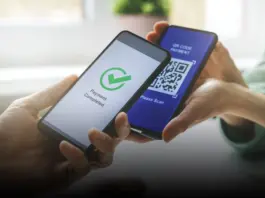
After submitting your application through a typing centre or individually, you will receive this form. It includes a QR code that you can scan to track your Emirates ID status and view the next steps in the process.
How to get a digital Emirates ID
If your Emirates ID is under renewal, lost, misplaced, or damaged, you can use a digital Emirates ID as a temporary solution.
Add your digital Emirates ID to Apple Wallet via the UAEICP app.
Access your Emirates ID through UAE Pass, the UAE’s national digital identity system, which also provides a QR code for verification.
If your Emirates ID has expired or is still being processed, you can generate a QR code through the UAEICP app. This code allows you to submit your ID temporarily for transactions or government services.
🙏 Support Independent Journalism
We keep news free for you.
Most readers support with ₹500 ❤️
or scan QR below

Voluntary contribution. No tax benefits.
Add informalnewz.com as a Preferred Source
DISCLAIMER
We have taken all measures to ensure that the information provided in this article and on our social media platform is credible, verified and sourced from other Big media Houses. For any feedback or complaint, reach out to us at informalnewz@gmail.com